

Leads & Growth
Building your Lead Generation Form

The Builder tab within the Leads section is where you design the bridge between a casual visitor and a qualified lead. Instead of a standard contact page, you build a structured form that appears directly inside the chat.
1. Designing the Flow
In the Builder, you add specific questions you want the Agent to ask. You can request:
- Contact Details: Name, Email, and Phone Number.
- Qualification Data: Company name, budget, or specific project needs.
These fields are presented as a clean UI component within the chat, making it effortless for the user to provide their information without losing the context of their conversation.
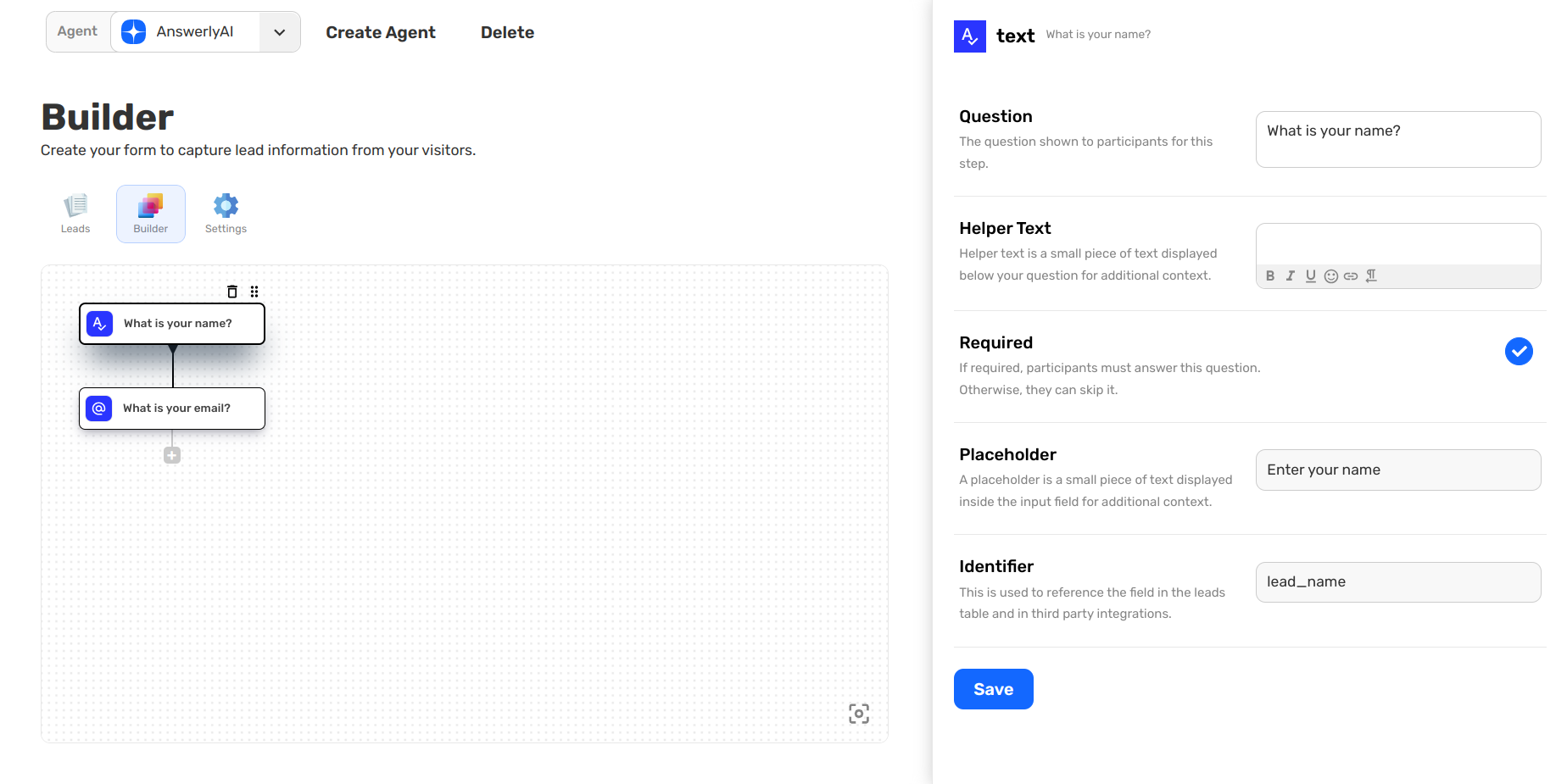
2. Managing the Builder Tree
Because the builder uses a tree structure, you can determine the exact order in which information is collected. This ensures that the most critical data (like an email address) is captured early in the interaction.
Once a user fills out these fields and clicks Submit, the data is instantly saved to your Leads table and can be sent to your external tools.
What’s Next?
Now that your form is built, you need to configure how it behaves and where that data goes once it's collected.