Agent Training
LLM Models and Rate Limiting

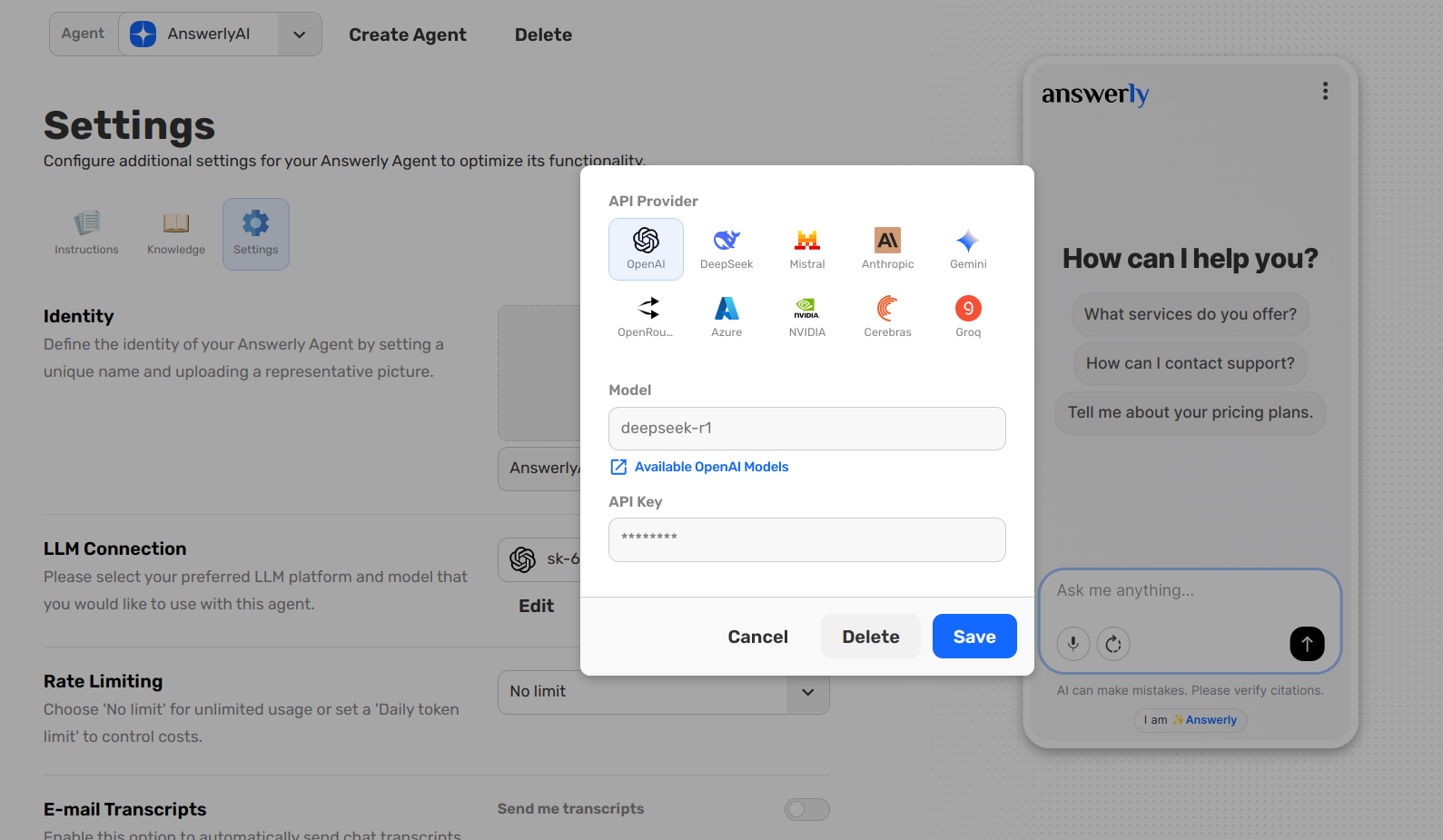
While the Knowledge Hub provides the facts, the LLM Connection is the engine that allows your Agent to process those facts and converse with users.
1. Choosing your LLM Model
In the Settings tab, you can select which Large Language Model (LLM) your Agent uses. Answerly supports various models, allowing you to balance speed, reasoning capability, and cost.
- High Reasoning: Choose advanced models for complex technical support or detailed data extraction.
- High Speed: Choose lighter models for simple FAQs and lightning-fast response times.
2. Rate Limiting
To keep your costs predictable and protect your Agent from bot spam, you can configure Rate Limiting.
- No Limit: The Agent will respond to every message without restriction.
- Daily Token Limit: Set a specific "budget" for the day. Once this limit is reached, the Agent will pause until the next day to prevent unexpected usage costs.
3. E-mail Transcripts
Monitoring your Agent’s performance is key to maintaining accuracy. By enabling E-mail Transcripts, Answerly will automatically send a full copy of every completed conversation directly to your inbox.
This allows you to see exactly how the Agent is using its training in the real world without having to log into the dashboard constantly.
What’s Next?
With your Agent trained and the engine configured, it's time to check the Agent Health to see if there are any gaps in its knowledge.