

Agent Training
How Agent Training Works

Training your AI at Answerly is the process of building its "Source of Truth." To ensure your Agent never guesses, you have two primary ways to feed it information: Manual Creation and Automated Importing.
Option 1: Manual Creation (The "Create" Button)
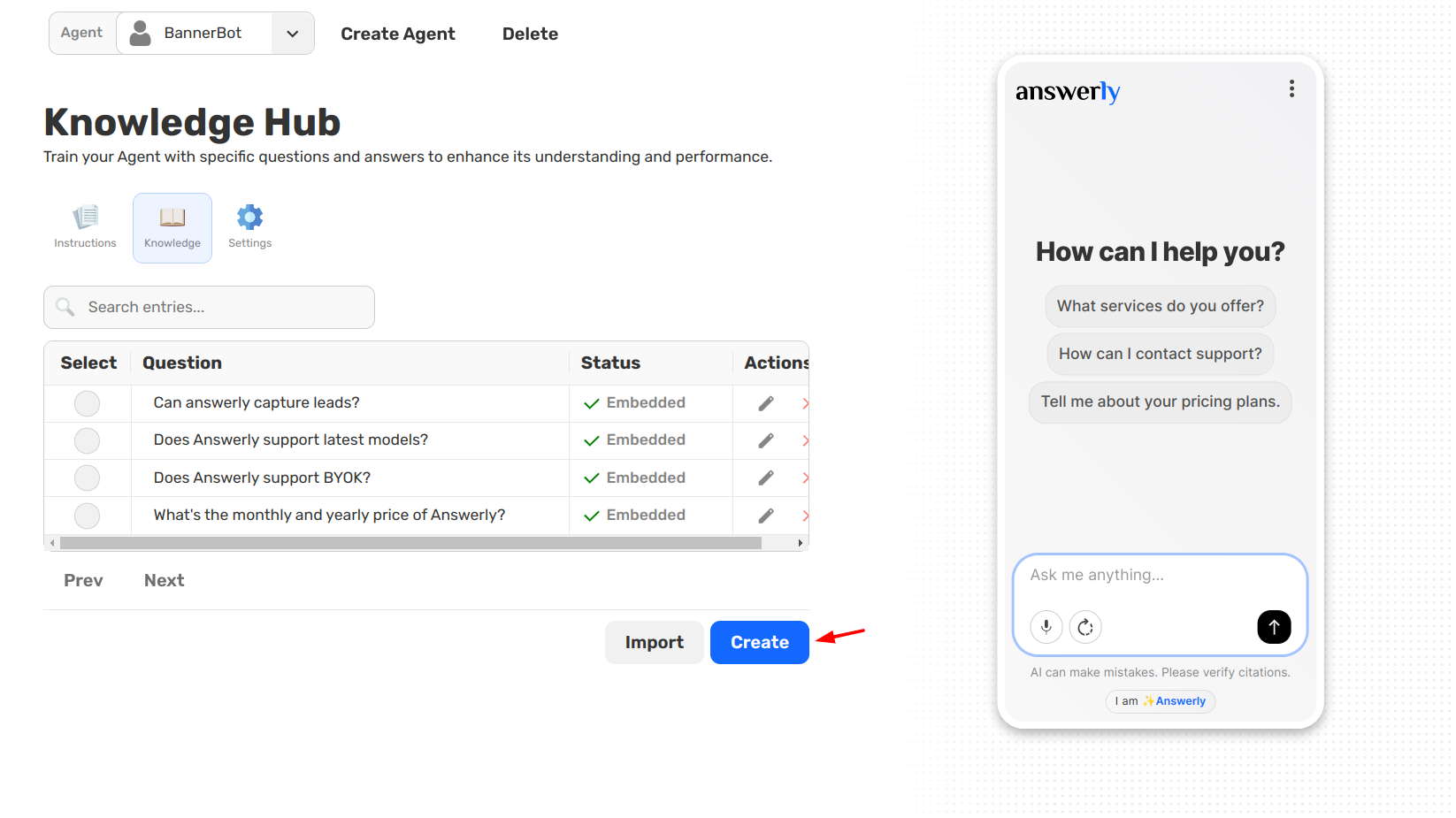
If you have specific facts, FAQs, or brand-specific answers that aren't written down in a document, you can add them manually. Clicking the Create button allows you to write a Question and its corresponding Answer directly into the Hub.
This is the best method for:
- Highly Specific Answers: Nuanced info that a crawler might miss.
- Quick Fixes: Adding a new fact instantly without waiting for a scan.
- Brand Voice: Writing answers exactly how you want them to sound.
Option 2: Importing (The "Import" Button)
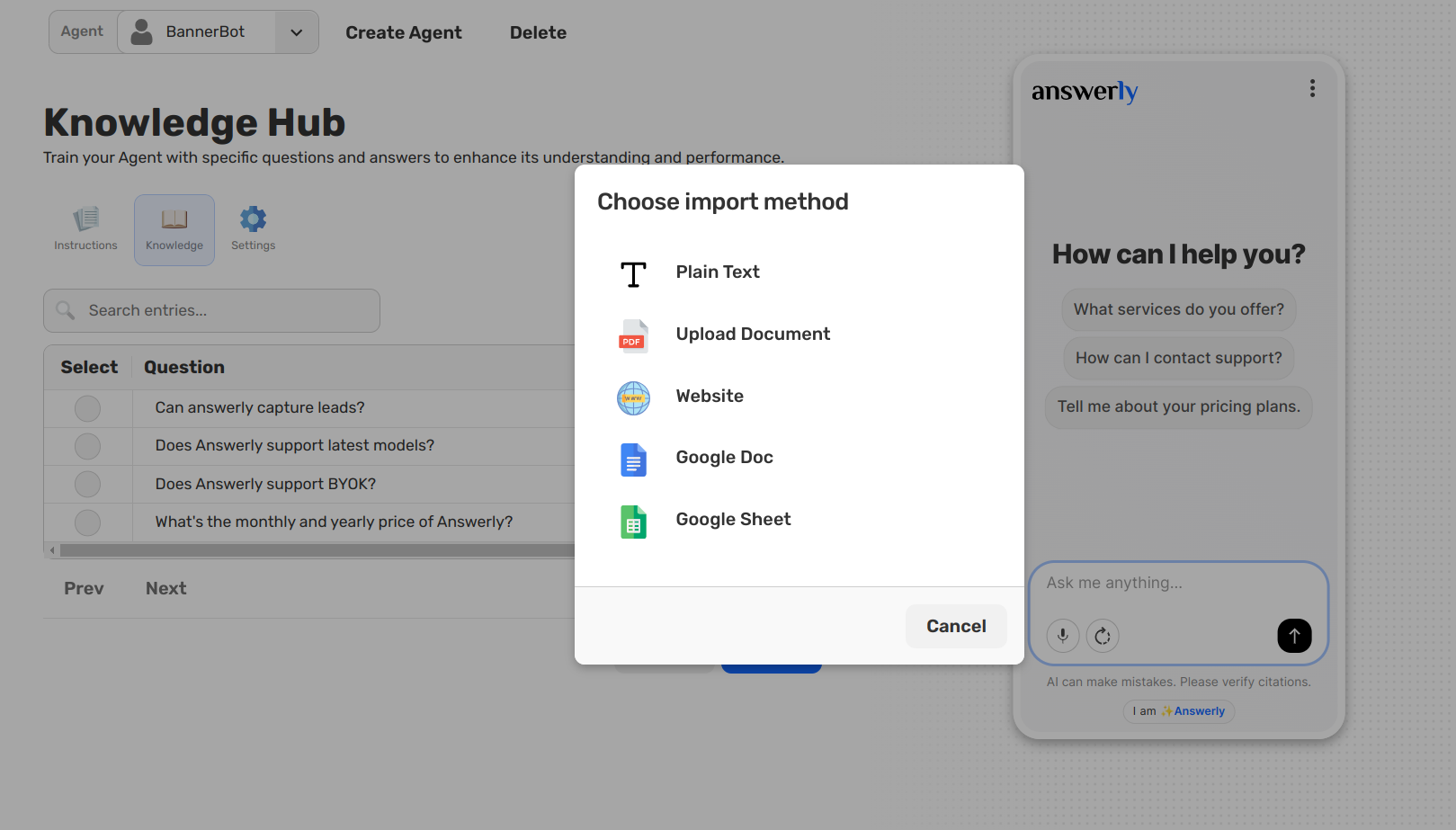
The Import feature is designed for high-volume data. Instead of typing every fact, you can point Answerly to your existing content, and it will do the heavy lifting in the background.
You can import from:
- Websites: Enter a URL, and Answerly will crawl and extract facts from the pages.
- Files: Upload PDFs or text documents.
- Google Workspace: Sync directly with Google Docs or Google Sheets.
The Review & Approval Workflow
Regardless of how you add information, Answerly puts you in the driver's seat. When you import data, the system scans the content and generates a list of proposed Q&As.
- Review: You’ll see a list of "Pending" facts in your Knowledge Hub.
- Approve/Disapprove: You must manually click Approve for a fact to become part of your Agent's live brain. If a generated fact is irrelevant, simply Disapprove it.
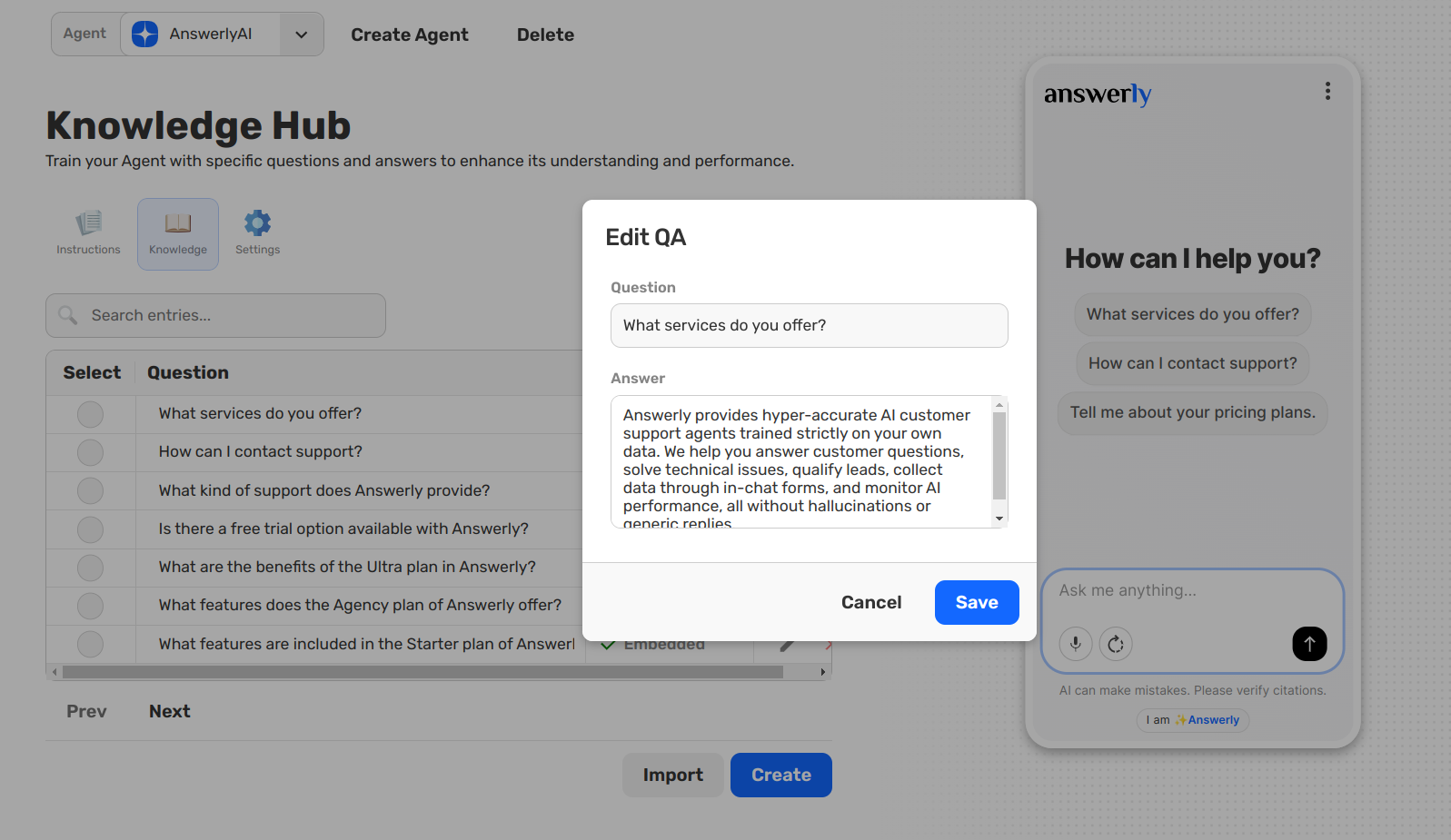
- Refine: You can click Edit on any fact, whether imported or manually created, to tweak the wording at any time.
What’s Next?
Once your Knowledge Hub is populated with approved facts, the next step is to configure the "engine" and safety limits that power your Agent.